
Provider Exchange
Sell leftover API balance on CapSolver, 2Captcha, AntiCaptcha, and more. Get paid per solve in AnySolver balance or crypto.
Have leftover balance on CapSolver, 2Captcha, AntiCaptcha, or another CAPTCHA provider? Provider Exchange routes real CAPTCHA tasks through your key and credits you a share of every solve. Cash out as AnySolver balance or crypto.
How it works
AnySolver verifies each key against the provider's balance API. Valid keys go ACTIVE within seconds.
Real customer tasks route through the pool. Your key solves CAPTCHAs, paid for by whoever submitted the task.
You earn frozen balance per settled solve. Convert to AnySolver balance any time from $0.10, or request crypto from $10.
Your dashboard
The Provider Exchange overview shows current frozen balance, lifetime earnings, recent activity, and a per-provider breakdown.
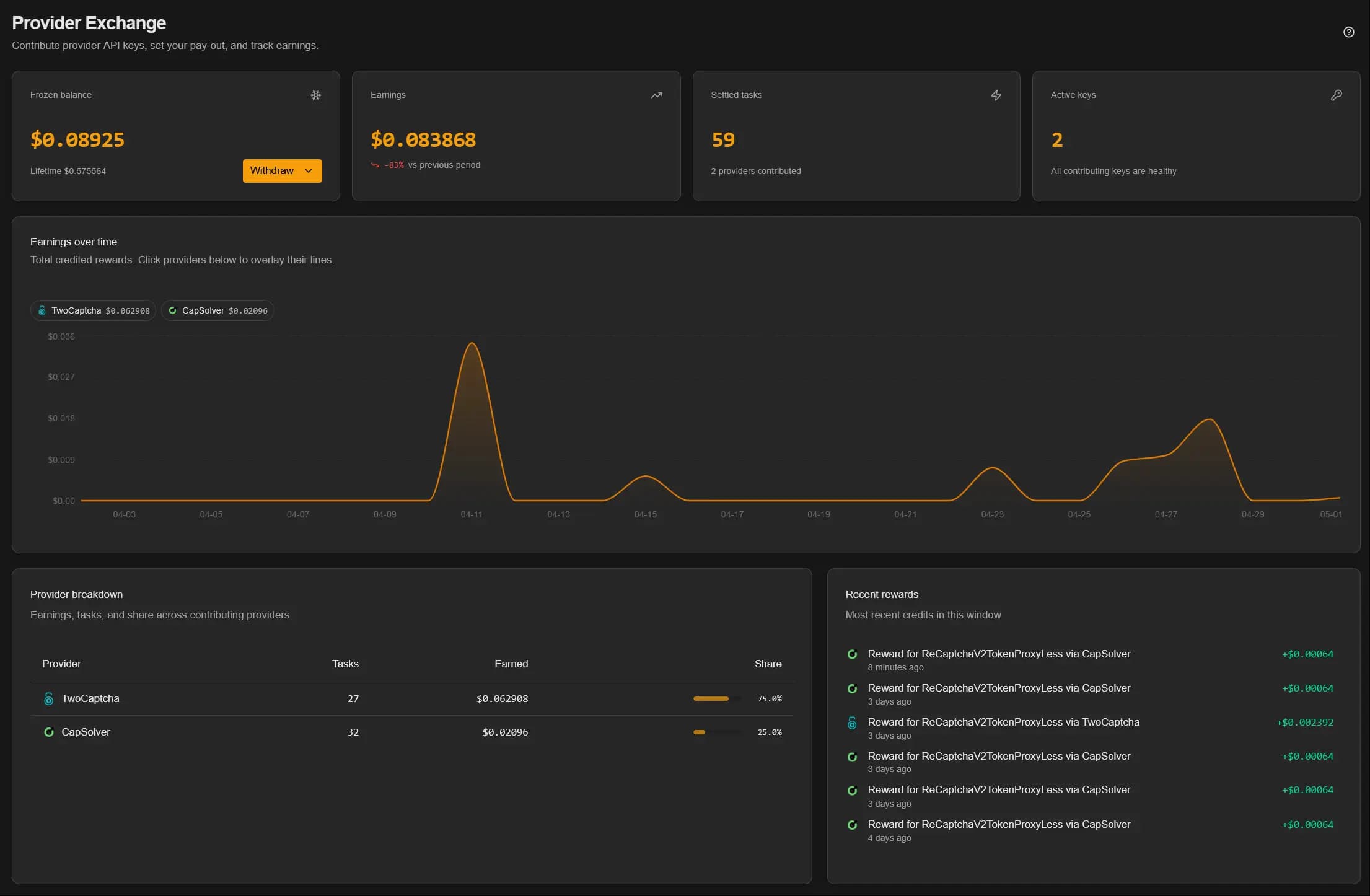
- Frozen balance is what you have earned but not yet converted. Convert it to AnySolver balance from the Withdraw menu.
- Earnings is your earned total over the selected window, with a per-day chart you can overlay by provider.
- Provider breakdown shows per-provider task count, earnings, and your share of the pool.
- Recent rewards is the last few credit events.
Add your keys
Open My Keys and click Add Keys.
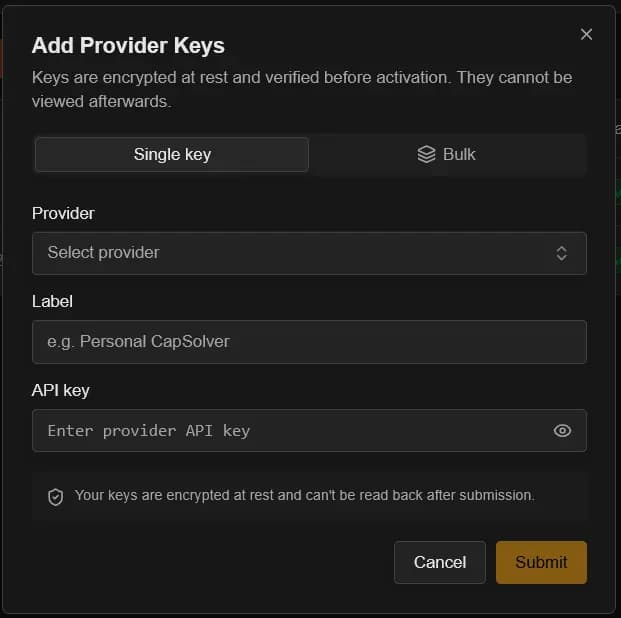
Single key
For a one-off addition: pick the provider, paste the key, give it a label, submit.
Bulk
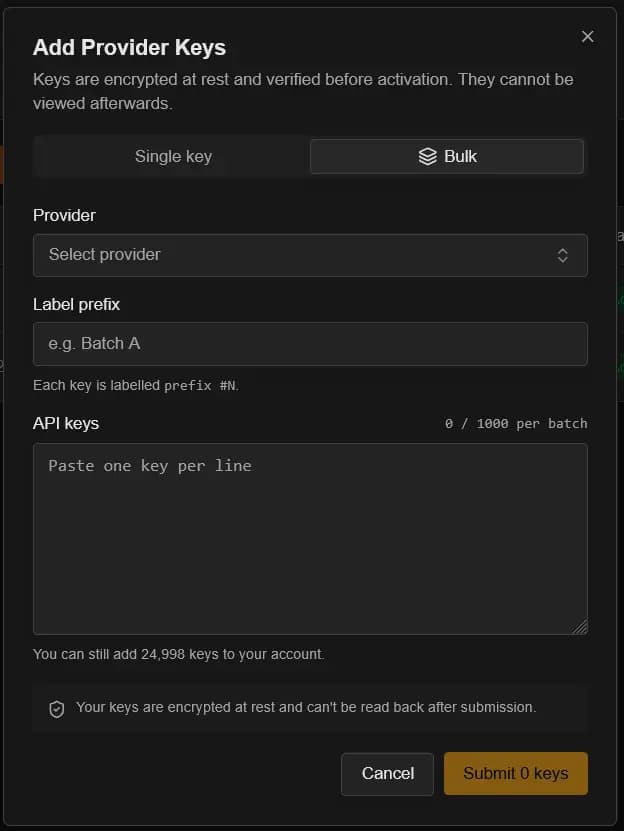
For larger batches: pick the provider, set a label prefix, paste up to 1 000 keys (one per line). Each key is auto-labelled prefix #1, prefix #2, and so on.
Keys are write-only
Keys are encrypted at rest and never shown again after submission. Store a copy somewhere you control before you submit.
Pick your earning strategy
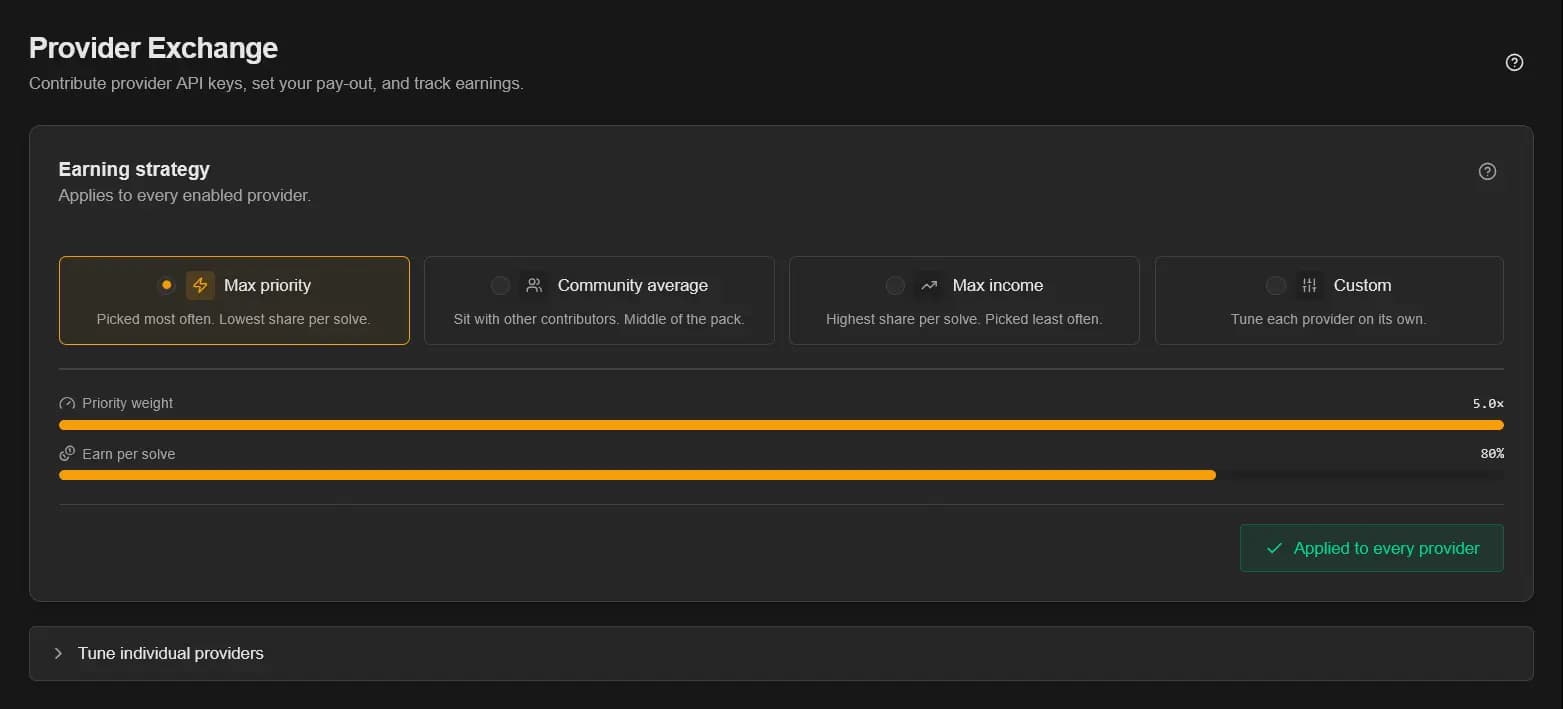
Open the Strategy page to set how aggressively your keys compete for traffic. The chosen preset applies to every enabled provider; tune individual providers in the Tune individual providers section underneath.
| Preset | Priority weight | Earn per solve | When to pick it |
|---|---|---|---|
| Max priority | 5.0× | Lowest in range | Maximum throughput. You would rather solve 100 tasks at a low margin than 10 at a high one. |
| Community average | ~3.0× | Mid-range | Steady share of traffic without chasing either extreme. |
| Max income | 1.0× | Highest in range | Only the high-margin solves; lower throughput is fine. |
| Custom | varies | varies | Tune each provider independently. For example max priority on 2Captcha, max income on CapSolver. |
How the priority weight works
Every provider has an owner-set payout range, for example 80% to 95%. Your chosen share inside that range maps to a priority weight from 1.0× (top of range, highest payout) to 5.0× (bottom of range, lowest payout). The weight tilts the random draw. It does not exclude anyone.
The formula: priority = 1 + 4 × (max − chosen) / (max − min).
Fair by design
When a task arrives for a provider, AnySolver picks a contributor with a weighted random draw.
- Every active contributor is in the draw. Nobody is excluded for charging too much.
- Each contributor gets one entry per provider, weighted by their priority.
- Adding more keys improves your uptime (fewer
EXHAUSTEDgaps) and per-provider availability. It does not multiply your entries.
A user with one key and a user with a thousand keys compete on the same share axis. Volume contributors do not drown out smaller ones.
Key lifecycle
The My Keys page lists every key you have submitted, filterable by status and provider.

The dashboard groups keys into four filter tabs that map to the underlying statuses:
| Filter tab | Statuses included | What it means |
|---|---|---|
| Active | ACTIVE | Verified and in rotation. Earning on every settled solve. |
| Pending | PENDING | Verifying against the provider's balance API. |
| Needs attention | EXHAUSTED, FAILED | Not earning. Either out of balance or rejected by the provider. |
| Inactive | DISABLING, INACTIVE | You stopped the key. In-flight tasks drain, then no new traffic routes. |
Details in a key's action menu shows when the key was added, when it entered its current status, when it was last checked and last used, and, for keys that need attention, the error code and description that took it out of rotation (the same codes task results use, such as ERROR_KEY_DOES_NOT_EXIST or ERROR_IP_NOT_ALLOWED).
Safe deactivation
Deactivating or removing a key never kills a running task. Keys drain cleanly, then move to inactive or get scrubbed.
When a key is EXHAUSTED
A key is marked EXHAUSTED the moment its remaining balance can no longer afford the most expensive task that provider offers. At that point the provider could refuse a solve the key gets routed, so routing skips it. Top up at the provider, hit Revalidate, and the key returns to ACTIVE.
When a key is FAILED
The provider rejected the key as bad, banned, or unsupported. Verify the key on the provider's site. If it works there, hit Revalidate and it goes back into rotation.
Frozen balance and payouts
Earnings accrue to a separate frozen balance bucket, shown on the overview page next to your lifetime totals.
- Convert to AnySolver balance any time you reach $0.10. Instant, via the Withdraw menu on the overview.
- Request a crypto payout from support at $10 (network fees excluded). Specify wallet and network.
- Earnings are calculated on the settled task cost (post-reconciliation), not the pre-task estimate.
Account limits
- 25 000 keys per account, across all providers combined.
- 1 000 keys per bulk submission.
- Removed or scrubbed keys do not count toward the cap.
Privacy and platform-only routing
Customers can opt out of contributor keys per request by setting settings.routing.keyPoolMode to platformOnly on createTask. Tasks with that flag only use platform-owned keys and never touch the Provider Exchange pool. See Key Pool Mode in Routing Strategies.
Your provider still charges you
Provider Exchange monetizes balance you already paid for. Every solve consumes balance on the provider's side. Top-ups go through the provider as normal.