
Quick Start
Solve your first CAPTCHA with AnySolver in under five minutes.
Solve your first CAPTCHA with AnySolver in four steps. Total time: about five minutes.
Try without code first
The Playground runs the same createTask flow against your account from the dashboard.
Useful for confirming a sitekey works before wiring it into an integration.
Prerequisites
- An AnySolver account with a funded balance.
- The CAPTCHA you want to solve. For this guide, the Google reCAPTCHA demo works.
Step 1: Create an API key
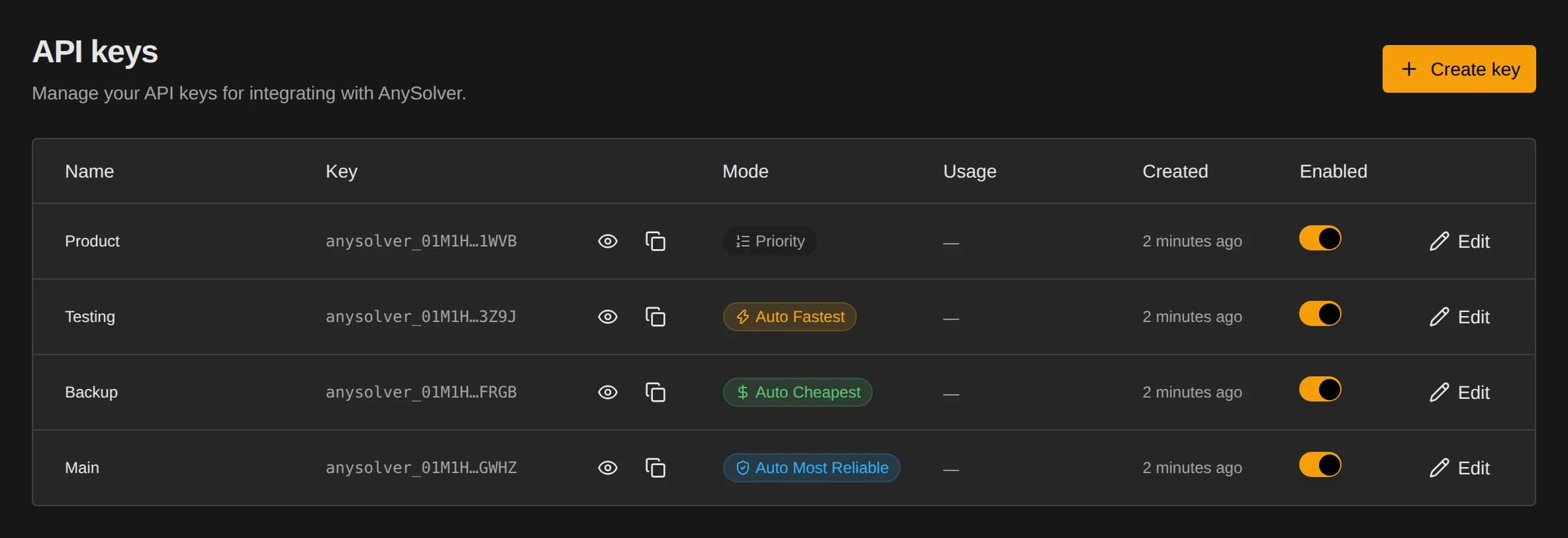
- Open Dashboard / API Keys.
- Click Create key, name the key, and pick a routing mode. Advanced settings are optional and keep sensible defaults.
- Click Create key again, then reveal or copy the new key from the confirmation dialog. Keys are prefixed
anysolver_, and you can reveal or copy them again later from the list.
Keep your API key secret
Your key controls your balance. Never commit it to a public repository or expose it in client-side code.
Step 2: Send your first request
POST to https://api.anysolver.com/createTask with Content-Type: application/json:
{ "clientKey": "your-api-key-from-dashboard", "task": { "type": "ReCaptchaV2TokenProxyLess", "websiteURL": "https://www.google.com/recaptcha/api2/demo", "websiteKey": "6Le-wvkSAAAAAPBMRTvw0Q4Muexq9bi0DJwx_mJ-", "pageTitle": "reCAPTCHA demo" }}Response:
{
    "errorId": 0,
    "taskId": "01KFNDF328KAN2AJ3BNHCQYE88"
}
Save the taskId for the next step.
Step 3: Poll for the result
Wait three to five seconds, then POST to https://api.anysolver.com/getTaskResult:
{
    "clientKey": "YOUR_API_KEY",
    "taskId": "01KFNDF328KAN2AJ3BNHCQYE88"
}
Poll every two to three seconds until status is ready:
{
    "errorId": 0,
    "taskId": "01KFNDF328KAN2AJ3BNHCQYE88",
    "taskType": "ReCaptchaV2TokenProxyLess",
    "status": "ready",
    "provider": "Multibot",
    "cost": 0.00013,
    "solution": {
        "token": "03AGdBq24PBCbwiDRaS_MJ7Z..."
    }
}
The solution block contains the token to submit to the target site. The provider and cost fields tell you which provider solved it and what you paid.
Step 4: Handle common errors
errorCode | When you see it | What to do |
|---|---|---|
ERROR_KEY_DENIED_ACCESS | API key invalid, disabled, or revoked. | Confirm the key in API Keys and check it is enabled. |
ERROR_ZERO_BALANCE | Balance below the task estimate. | Top up in Billing. |
TASK_NOT_SUPPORTED | No provider in your routing config supports the task type. | Switch to an auto* mode or add a supporting provider in Priority mode. |
INVALID_SITEKEY | Sitekey or domain mismatch. | Verify the sitekey on the target site, then re-submit. |
Full list: Error handling.
Complete examples
const API_KEY = 'YOUR_API_KEY';const BASE_URL = 'https://api.anysolver.com';const TASK = { type: 'ReCaptchaV2TokenProxyLess', websiteURL: 'https://www.google.com/recaptcha/api2/demo', websiteKey: '6LeIxAcTAAAAAJcZVRqyHh71UMIEGNQ_MXjiZKhI', pageTitle: 'reCAPTCHA demo',};const post = async (path, body) => await fetch(`${BASE_URL}${path}`, { method: 'POST', headers: { 'Content-Type': 'application/json' }, body: JSON.stringify(body), }).then(async (r) => await r.json());async function solveCaptcha() { console.log('Creating task...'); const create = await post('/createTask', { clientKey: API_KEY, task: TASK }); if (create.errorId !== 0) throw new Error(`${create.errorCode}: ${create.errorDescription ?? 'Unknown error'}`); console.log(`Task created: ${create.taskId}`); console.log('Polling for result...'); let result; do { await new Promise((r) => setTimeout(r, 3000)); result = await post('/getTaskResult', { clientKey: API_KEY, taskId: create.taskId }); console.log(`Status: ${result.status}`); if (result.status === 'ready') { console.log('Task completed!'); return result.solution.token; } if (result.status === 'failed') { throw new Error(`${result.errorCode}: ${result.errorDescription ?? 'Unknown error'}`); } if (result.status !== 'processing') { throw new Error(`Unexpected status: ${result.status}`); } } while (result.status === 'processing');}void solveCaptcha().then((token) => console.log('Solved:', token));